Build Apps 100x Faster: Claude Code Workflow
2026-01-08

If you have ever felt that coding with AI is powerful but chaotic, this workflow snaps everything into place. Boris Churnney, creator of Claude Code, shared a clear system that helps solo developers move like teams.
Below is the 8-step workflow, translated into a practical checklist you can use today.
Step 1: Run five Claude Code terminals
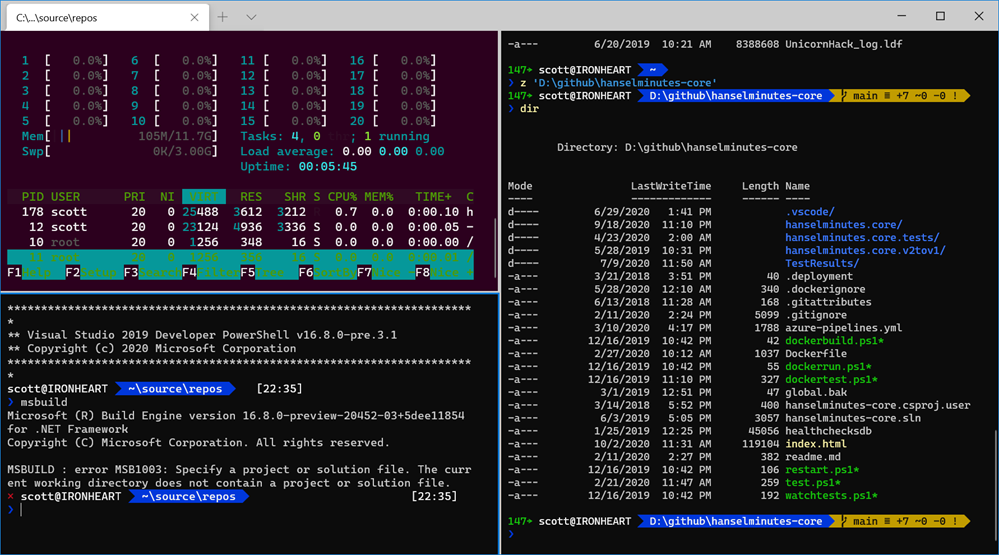
Boris runs multiple Claude Code sessions at once, each focused on a different part of the app. This keeps memory usage low and gives you parallel progress without opening heavy editors.
Suggested setup:
- Terminal split: Claude Code on the left, dev server on the right
- Duplicate that layout across multiple terminals
- Keep each terminal focused on a specific area of the codebase
Step 2: Add 5 to 10 Claude web agents
Claude web agents run in the cloud and can work while you are offline. Assign each agent a focused task and come back to fresh outputs, refactors, and ideas.
Best uses:
- Feature spikes
- Refactors
- Copy rewrites
- Edge-case testing
Step 3: Use Claude Opus 4.5 for everything
Boris uses one model for all tasks to avoid context switching. Opus 4.5 is more accurate, reduces retries, and produces better plans.
In Claude Code, run:
/model
Set Opus 4.5 as default.
Step 4: Maintain a strong claude.md
Your claude.md acts like a constitution for the assistant.
It should:
- Enforce conventions
- Reduce hallucinations
- Define guardrails
- Keep code consistent
Keep it in the project root and update it regularly.
Step 5: Master plan mode
Plan mode is where you do the real thinking.
Use:
Shift + Tab
Shift + Tab
Do not accept the first plan. Iterate and clarify until it is sharp enough to execute in one pass.
Step 6: Create custom slash commands
Bundle repetitive actions into a single slash command.
Example:
/gitpush
Which can:
- Commit
- Push
- Sync
Ask Claude which commands would save you time right now.
Step 7: Verify everything before ending a session
At the end of a session, ask Claude to review its own work for best practices, security, and efficiency. This prevents subtle issues from slipping through.
Step 8: Stack everything together
When you combine:
- Multiple terminals
- Web agents
- A strong claude.md
- Plan mode
- Custom slash commands
- Session verification
You get faster builds, fewer bugs, and more consistent output.
Final thought
This workflow is about alignment: human intent, AI execution, and clean feedback loops. Once you experience it, it is hard to go back.